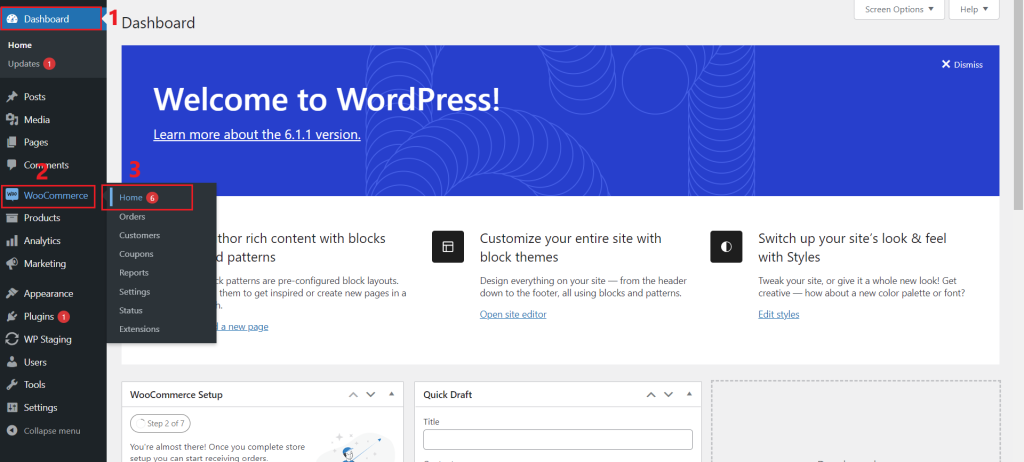
- Go to Dashboard > mouse hover to WooCommerce > click ‘home’ button
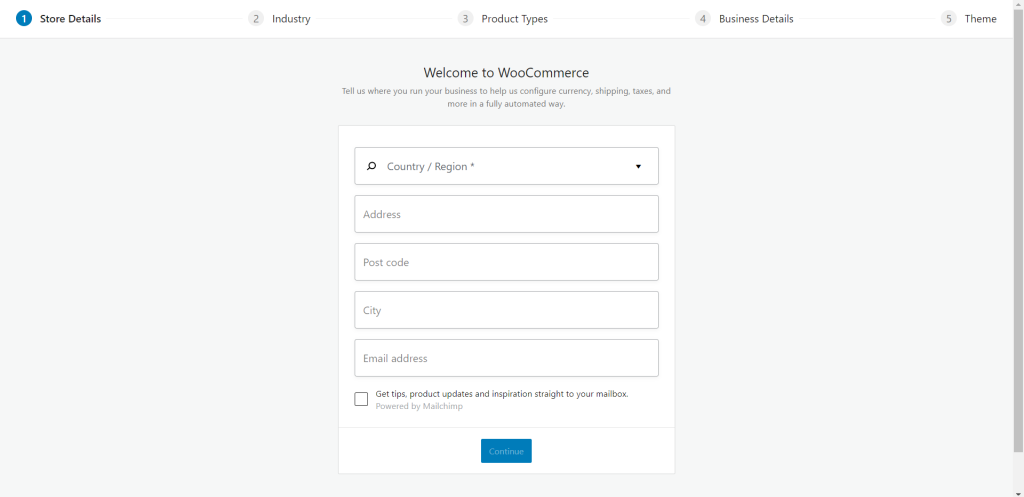
2. You will come to this WooCommerce setting page. You can enter your store details here (eg. country, address, post code, city, email address), and click the ‘continue’ button to move on to the next step.
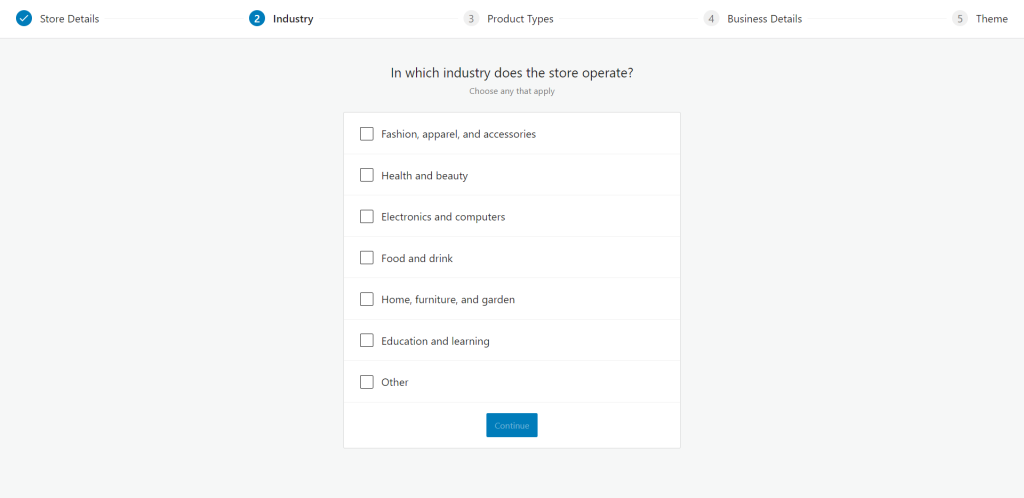
3. You can tick(✓) the option which is suitable to your store or tick(✓) ‘other’ and enter your industry. (This section can tick(✓) multiple options)
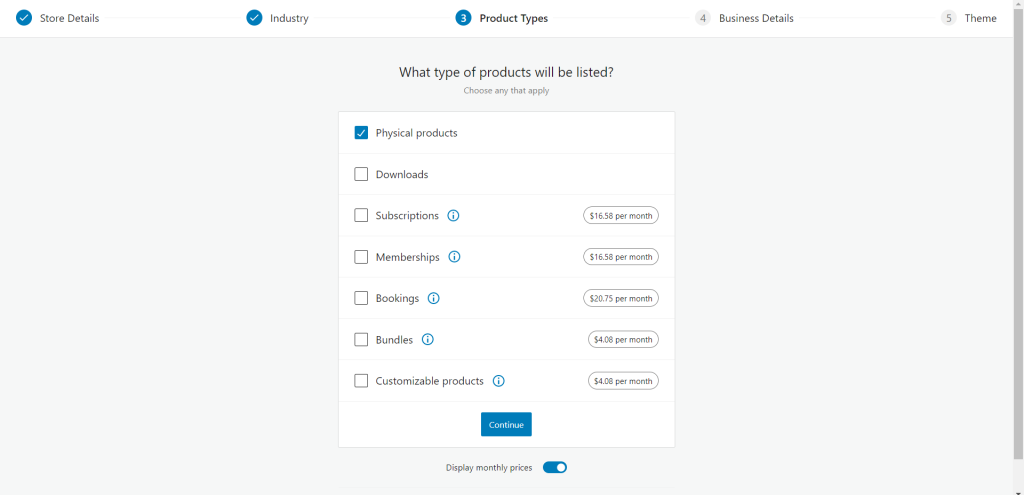
4. You’re able to identify which product types you plan to sell in your store and learn more about some types of products, such as Memberships or Subscriptions. If you choose a paid product you can easily purchase it later in the wizard.
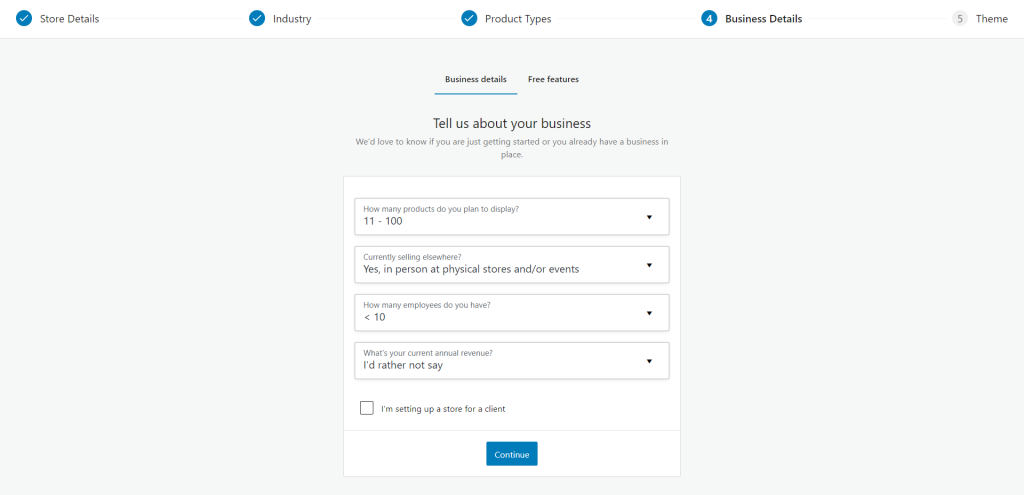
5. You can provide more of your business information here.
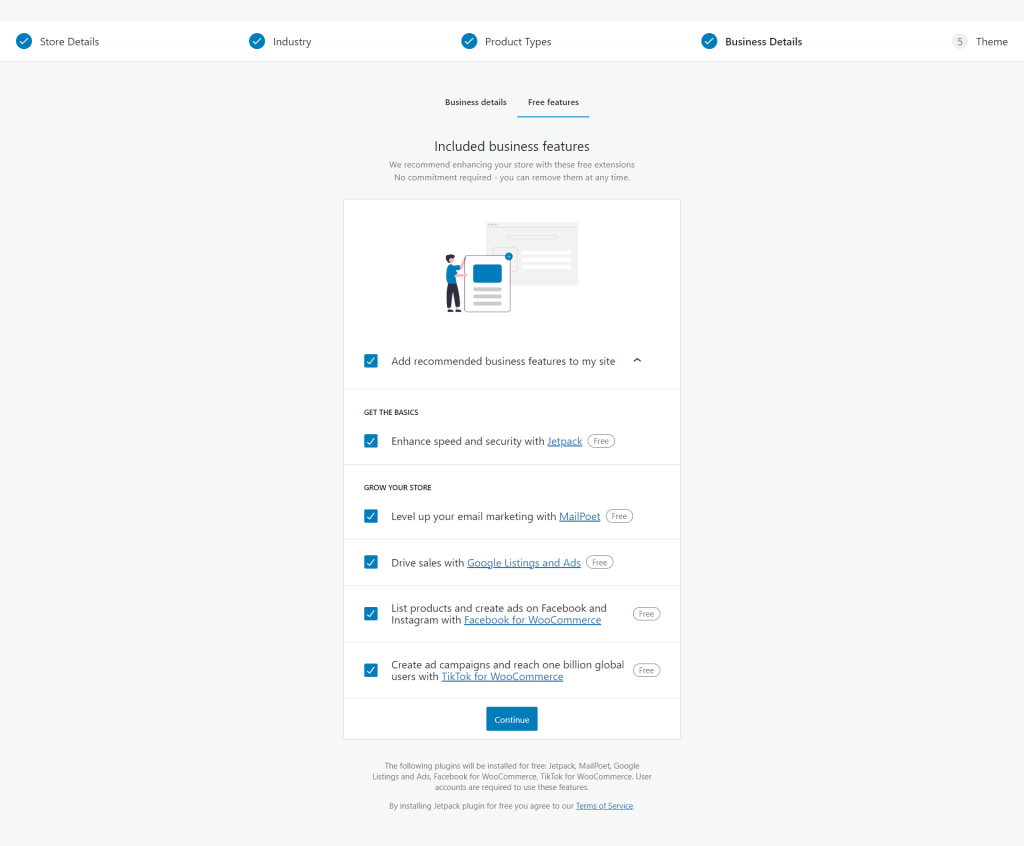
6. You can also easily install useful features tools that will help you optimize and scale your business.
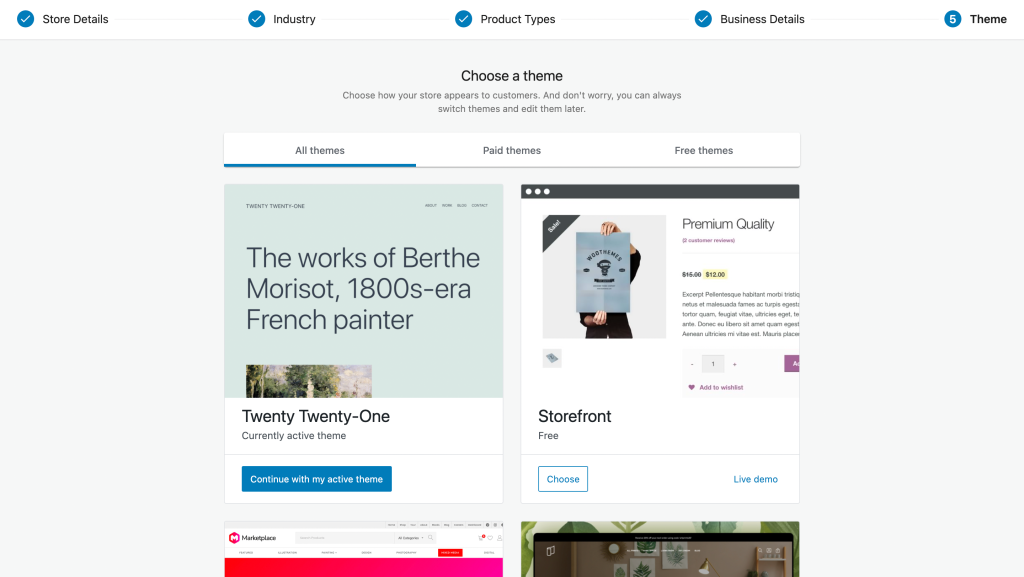
7. You can use the existing them or either you can choose your favorite theme or upload your theme if you have one.